
Appearance
Cooperative Area — Admin Help Center
The Cooperative Area is where your staff manage members, money, and reports. Sign in with the email and password created during cooperative registration.
Live portal: https://apps.smartcoophub.com/cooperative/
This documentation covers every major staff module in SmartCoopHub, with screenshots from the live portal.
Tip: Press
Ctrl+K(or/) to search any admin task — for example, "approve loan", "import members", or "landing page".
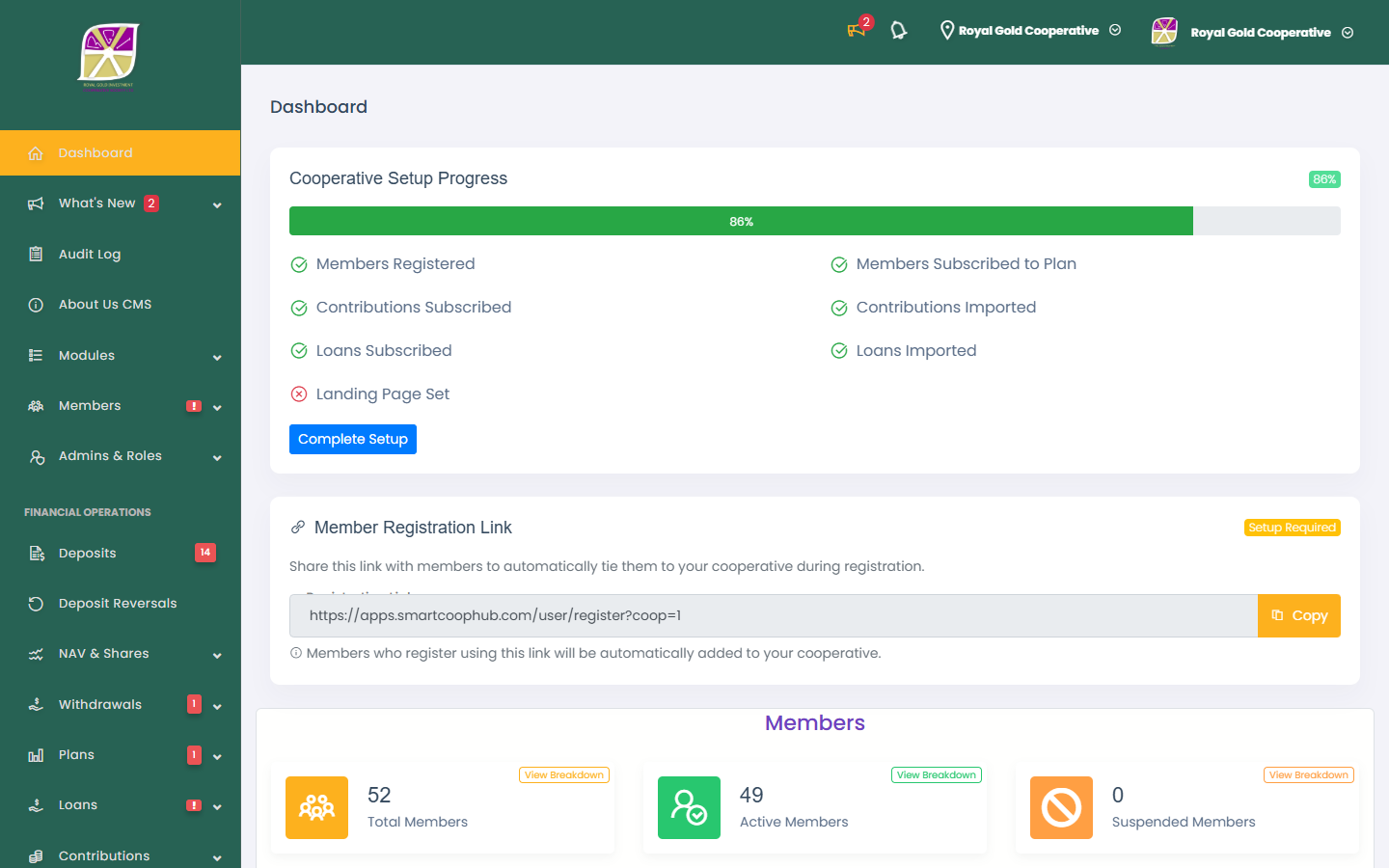
Staff roles at a glance
| Role type | Access level |
|---|---|
| Manager | Full access to all modules; can switch between cooperatives if you manage more than one |
| Staff with an assigned role | Access only to menu items allowed in All Roles |
| Staff without a role | Dashboard and profile only — contact your manager to assign a role |
If a staff member opens a menu item they are not allowed to use, they see: You Don't have permission to view that route!
Recommended setup order
| # | Task | Guide |
|---|---|---|
| 1 | Register cooperative and staff login | Onboarding |
| 2 | Complete dashboard setup checklist | Dashboard |
| 3 | Configure basic settings and logo | Cooperative profile |
| 4 | Enable modules and payment gateways | Integrations |
| 5 | Create contribution, loan, and subscription plans | Product plans |
| 6 | Add staff and assign roles | Staff management |
| 7 | Share member registration link | Dashboard |
| 8 | Approve pending members | Approving applications |
| 9 | Import legacy data (optional) | Imports and migration |
Complete table of contents
Getting started
| Page | What you will learn |
|---|---|
| Onboarding | Registration, setup progress, landing page, member link |
| Dashboard | Metrics, charts, registration link widget |
Member management
| Page | What you will learn |
|---|---|
| Viewing members | Lists, detail, balance, import/export, KYC queue |
| Approving applications | Pending membership queue |
| Suspending members | Suspend/restore access, KYC approval |
| Imports and migration | CSV import, migration tools, import history |
| Bulk operations | Multi-loan approve/reject, bulk export |
Financial management
| Page | What you will learn |
|---|---|
| Product plans | Contribution, loan, DPS, and FDR plans |
| Contributions | Post payments, rotational pools, imports |
| Loans | Approve/reject, due instalments, imports |
| Deposits and withdrawals | Approve funding and payout requests |
| Transfers | Own-bank, other-bank, and wire transfers |
| DPS and FDR | Active profit-deposit and lock-up subscriptions |
| NAV and shares | Net asset value, share holdings |
| Dividends | CSV import and dividend declarations |
| Reports | Financial summary, KPIs, custom and scheduled reports |
Configuration
| Page | What you will learn |
|---|---|
| Cooperative profile | Name, currency, logo, landing page, KYC form |
| Staff management | Add admins, audit log |
| Roles and permissions | Role builder, default roles |
| Integrations | Gateways, withdrawal methods, wire transfer |
Communications
| Page | What you will learn |
|---|---|
| Announcements | Publish to members, staff notifications |
Support
| Page | What you will learn |
|---|---|
| Support | Bug reports and feature requests |
Default roles for new cooperatives
President · Vice-President · Secretary · Financial Accountant
Customize permissions under Roles and permissions.
Support
- Member questions — your cooperative handles member support directly.
- Platform or product issues — Support & bug reports or email support@smartcoophub.com.
Related
- Member guides — what your members see and do
- Affiliate guides — partners who refer cooperatives to SmartCoopHub
- Documentation home